
Master your club.
Automate the future.
One system for the whole floor: a staff panel at the desk, Agent on every gaming PC, and an app for your players. Staff activate seats and close them, the system counts the money. Players reserve a seat in the app and pay at the club.
- Desktop staff panel
- Agent on every PC
- Player app in development
Three apps, one system
The panel at the desk, the Agent on each machine and the player app all read the same data from one cloud service. Nothing gets retyped, and no screen shows a number another screen disagrees with.
Staff panel
A desktop app for Windows and Linux. The floor, active places, bills, prices, bookings and tournaments in one window. It updates itself.
Agent on the gaming PC
Installed on every gaming computer. It keeps the desktop locked until staff activate the seat, counts the time, and locks it again when play time ends.
Player app
iOS and Android, still in development and not in the stores yet. A player finds the club, picks a seat and reserves it. Payment happens at your desk, not in the app.
Your whole floor on one screen
Built for the person standing at the desk on a Friday night. Every PC, console and table sits on one board, grouped by type, showing what is running on it right now.
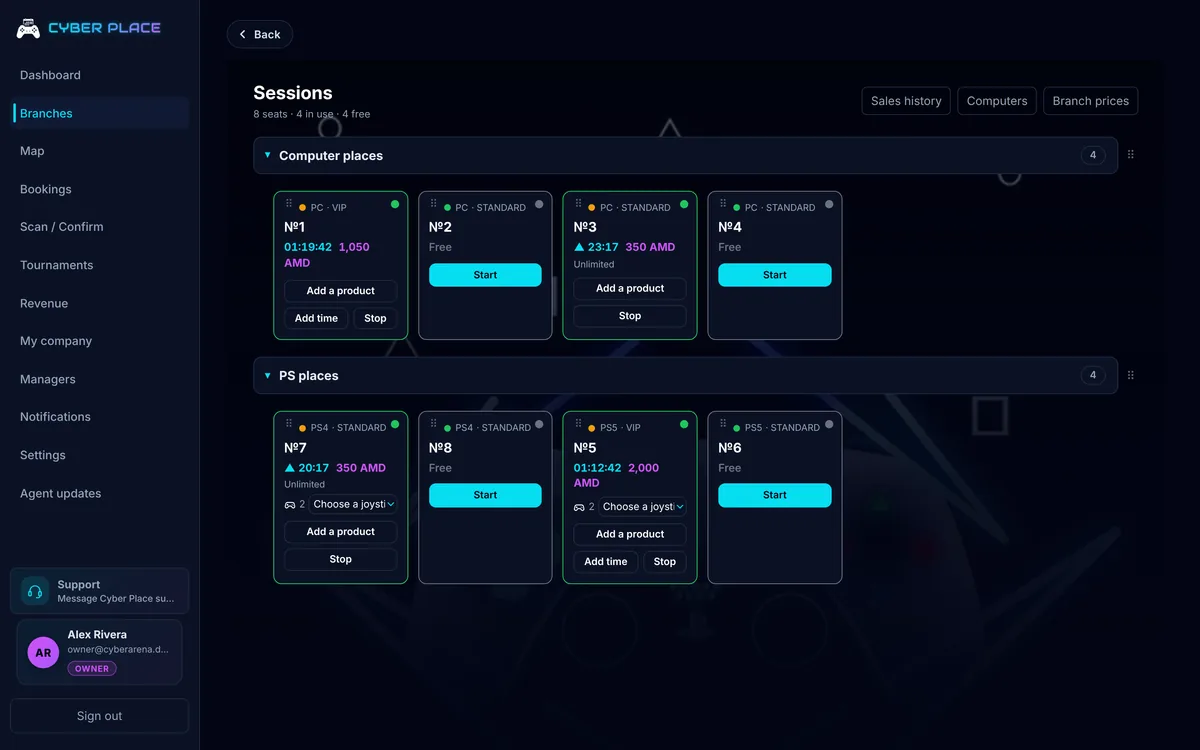
Active Places: time, joysticks, products, total.
Live floor board
Every seat in the branch, grouped by PC, PlayStation and the platforms you define yourself. Free, reserved or active, at a glance.
- Active Places and the bill
- Start and stop in one click. The server does the arithmetic, so the number on screen is the number the player owes.
- Prices and packages
- A price per platform and sub-platform, time packages, discount windows, joystick rules and rounding. Set once per branch.
- Bar and products
- Your bar and shop catalogue with search. Add a drink to an active place and it lands on that place's bill.
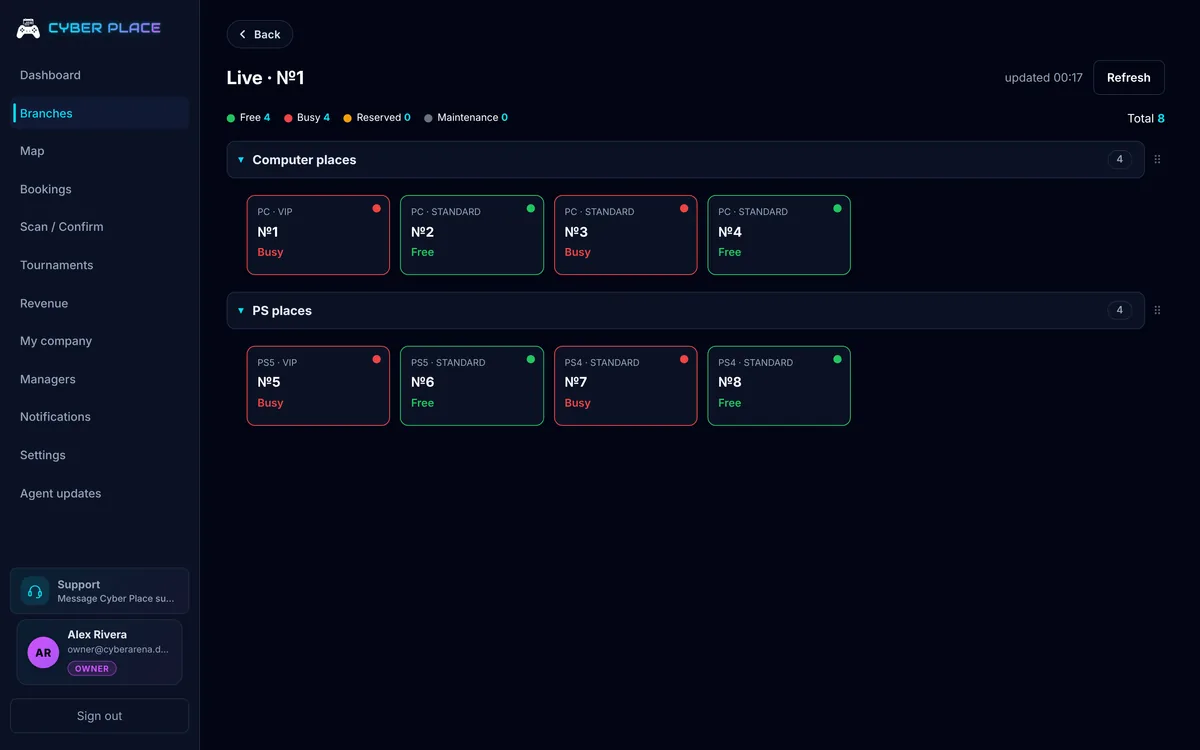
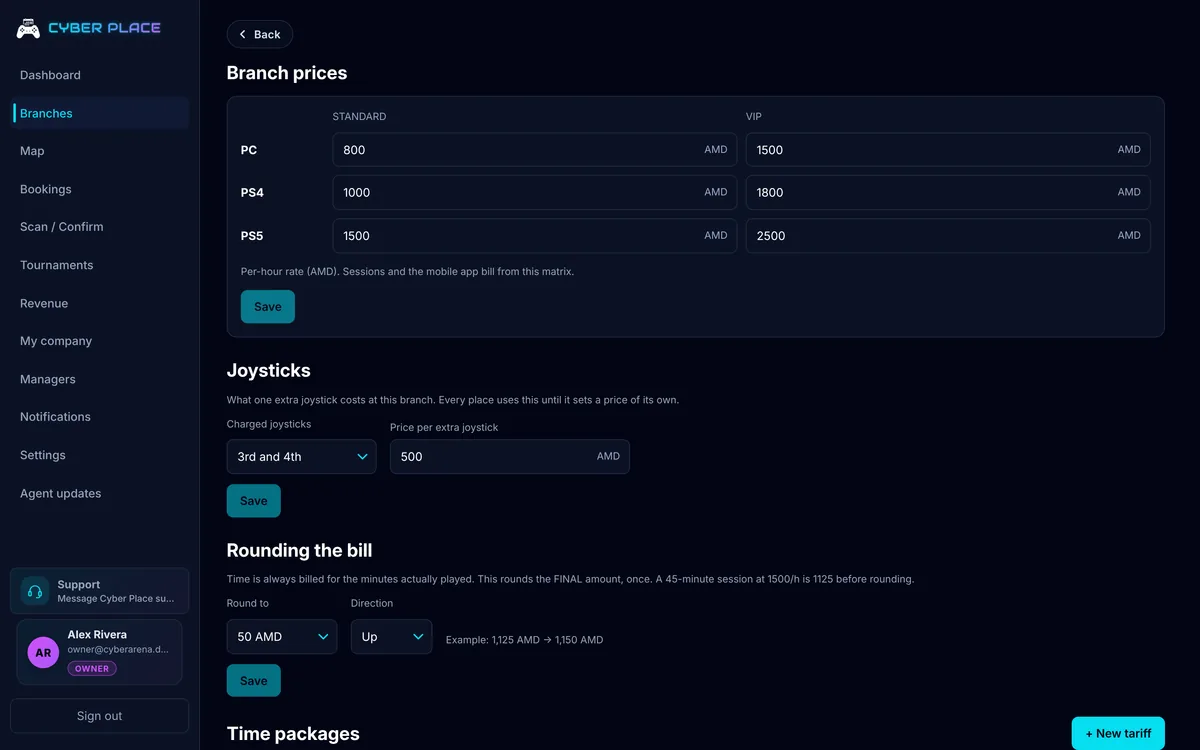
The PC opens only while its seat is active
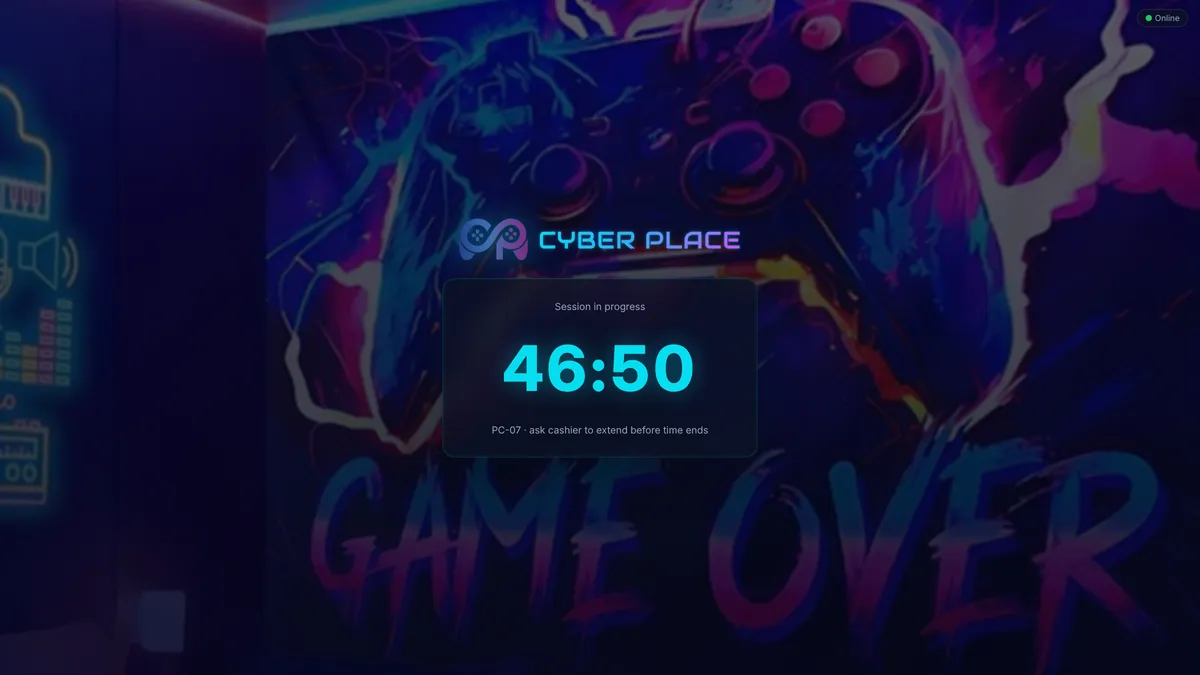
Agent is a small program on every gaming PC. Until the seat is activated the screen is locked and the machine cannot be used. Staff activate the seat in the panel, and the PC opens at that moment.
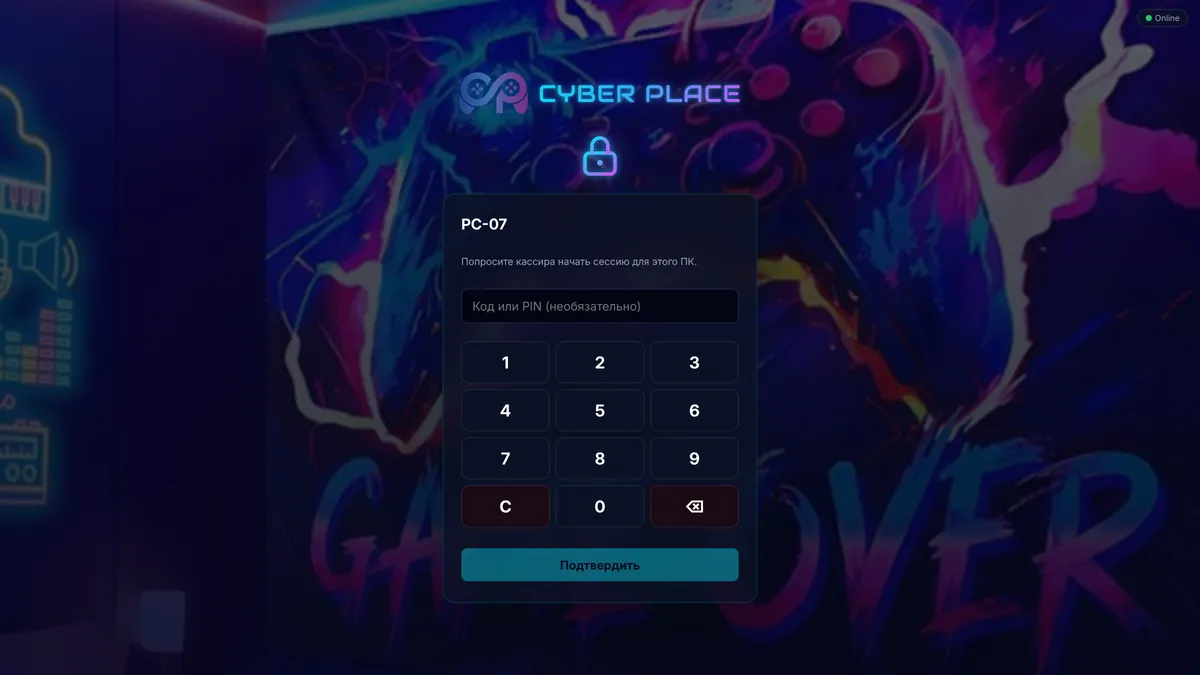
The machine is locked until the seat is activated.
Locked until the seat is active
Until the seat is active the screen carries the Cyber Place lock with the seat's name on it, so a player can see which machine they are at and what to do next — go to the desk.
- Time left, while the seat is active
- A fixed package counts down on screen, so the player can see what is left, and the machine locks itself again when the time is up. On an hourly rate there is no countdown — staff close the seat.
- Emergency unlock by PIN
- When the internet is down, staff open the machine with the branch PIN straight from the lock screen. The PIN is checked offline too, and the pad freezes for a minute after several wrong attempts.
- Installed once
- The program pairs to the machine with a single code and keeps the link to the server on its own. An update arrives as a command from the panel, downloads in the background and applies after a restart.
PCs and consoles
Every machine belongs to a branch and to a specific seat, so the board on screen matches the room.
- Free
- Reserved
- Active
Gaming PCs
The Agent holds the desktop locked until the seat is activated and locks it again at the end. If a PC has its MAC address stored, staff can wake it straight from the panel.
PlayStation
Consoles are discovered on the club network and bound to their seat by id, so one console cannot serve two seats. Active places, joysticks and the bill work exactly as they do on a PC, and a console that comes alive while its seat is not active goes to the owner.
Every platform on one board
PC, PlayStation and platforms you create yourself: table tennis, poker, whatever you sell. Each carries its own price, and a sub-platform can override it.
How a seat turns into revenue
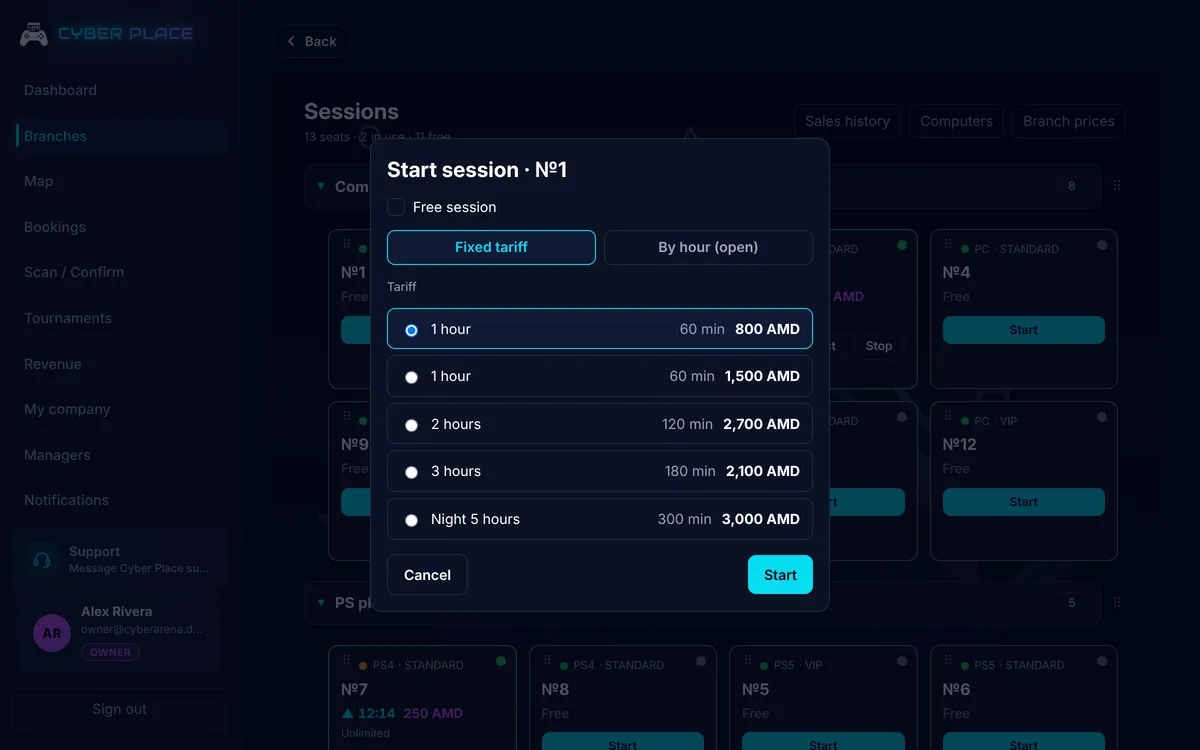
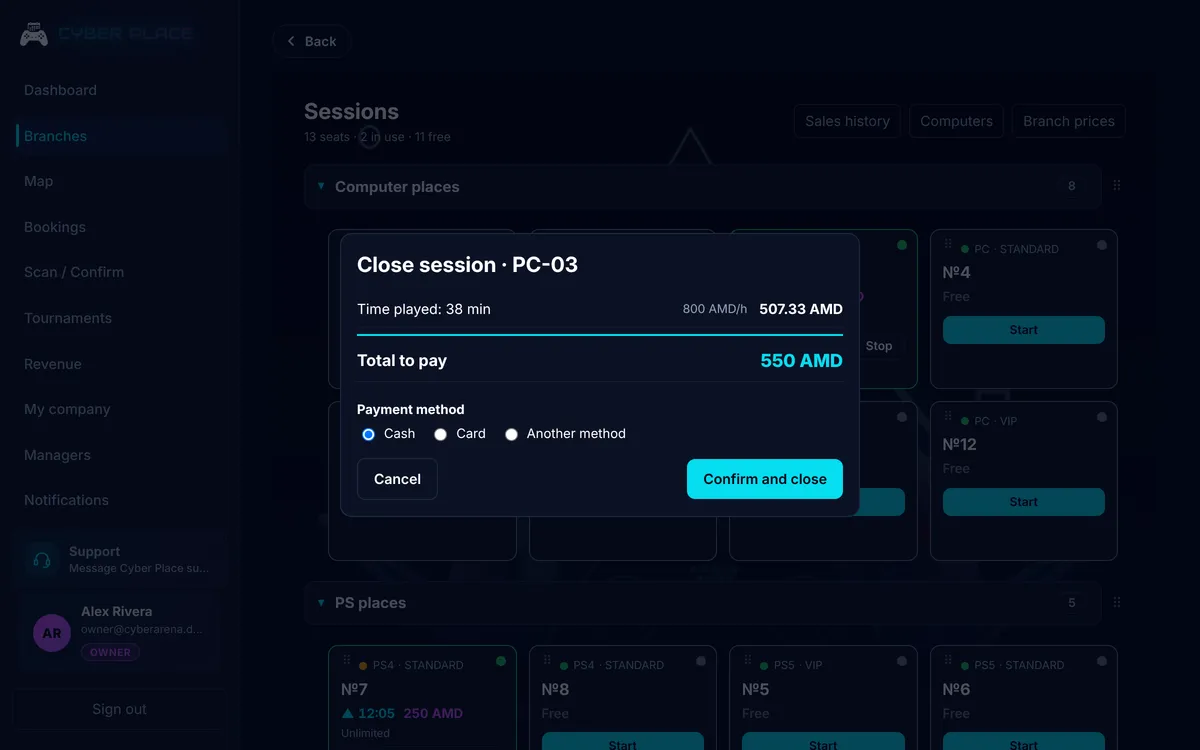
Four ways to sell a seat and one window where an active place is closed.
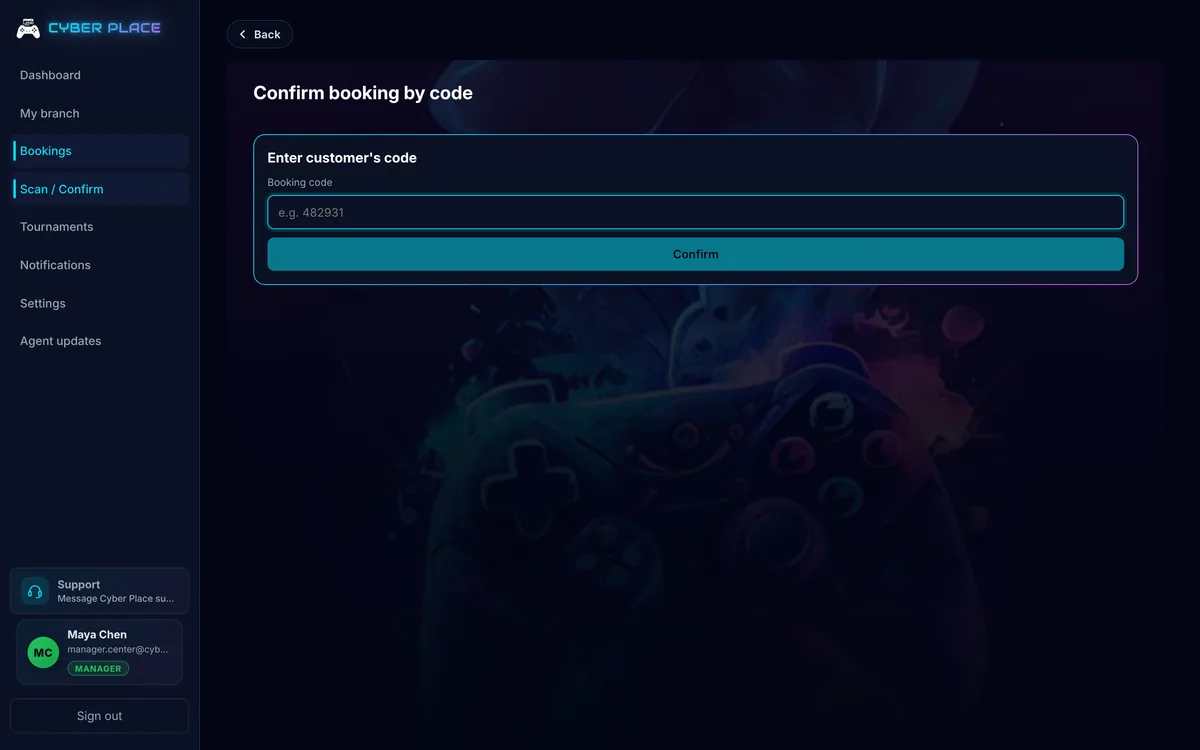
Confirming a booking by its code
How time is charged
By the hour with a pro-rated stop, a fixed time package, unlimited, or free when staff waive the bill. Pick the type at the start and change it while it runs.
Time and the bill mid-game
Grant 10, 30 or 60 more minutes without activating the seat again. Switch to unlimited in the middle of a match. Drinks and snacks land on the same bill.
Bookings and the code at the desk
A player reserves in the app and gets a code. Staff type the code at the desk to confirm, and can cancel or finish the booking. A reservation holds the seat only in the two hours before it starts, so a booking made for next week does not freeze the seat all week.
Active Places history
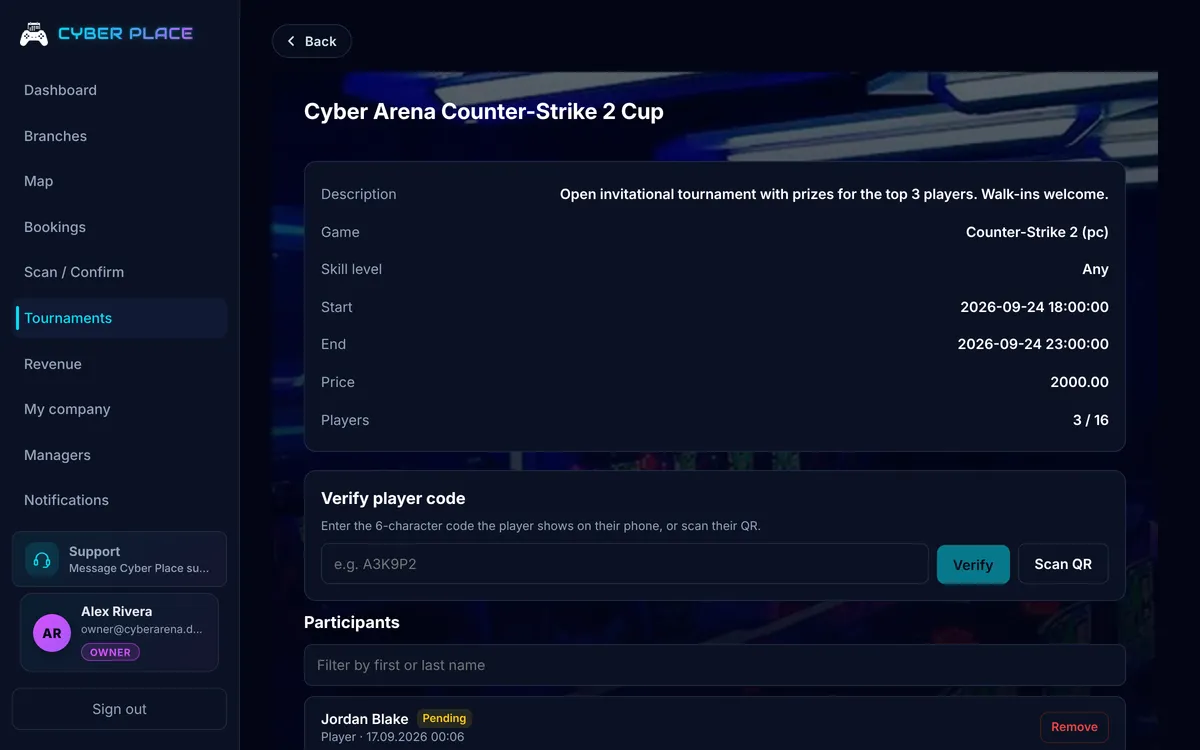
Every active place records who opened it and who closed it. When a shift argues about a total, the answer is in the history.
Every screen agrees
The panel and the app hold a live connection to the same service, and when the network misbehaves they fall back to polling.
One floor for everyone
Close an active place at the desk and the seat frees up everywhere: the second machine at the counter, the owner's laptop, the player's app.
Notifications per branch
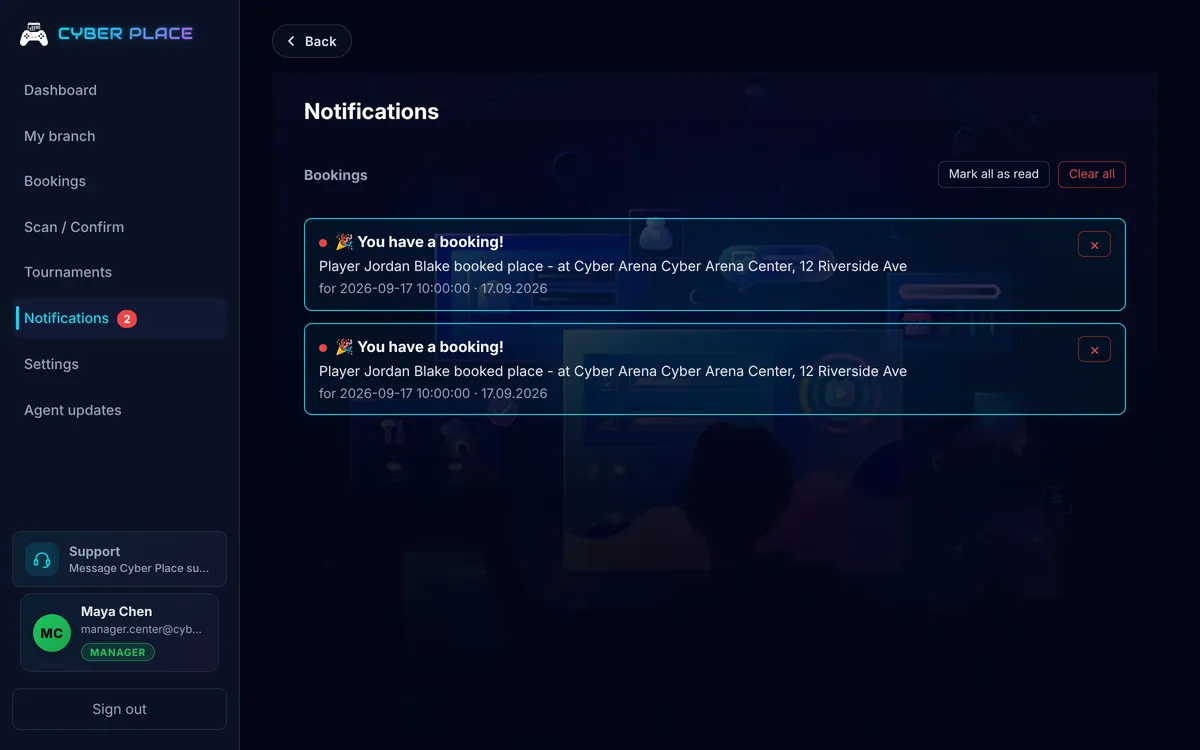
The bell in the panel is tied to a branch. A manager gets the events of their own floor, not the other venue's.
The panel updates itself
New versions install themselves. Nobody walks the club updating machines by hand.
What the month actually made
One screen for the owner, and it is a revenue report, not a BI suite. Play time, bar and tournament entry fees for the month, in one place. Managers never see this screen.
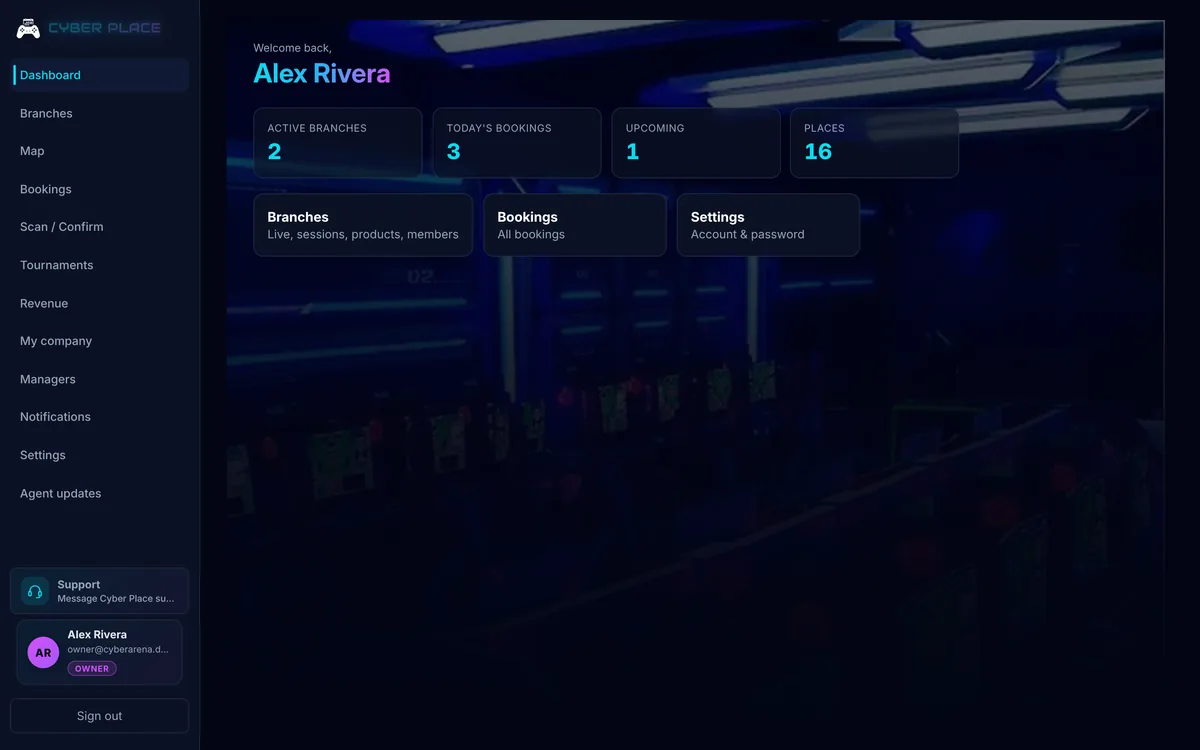
The owner's dashboard
- Month by month, per company
- Play time, bar sales and tournament fees, separately
- Gross total and owner income
- A per-branch breakdown when you run more than one
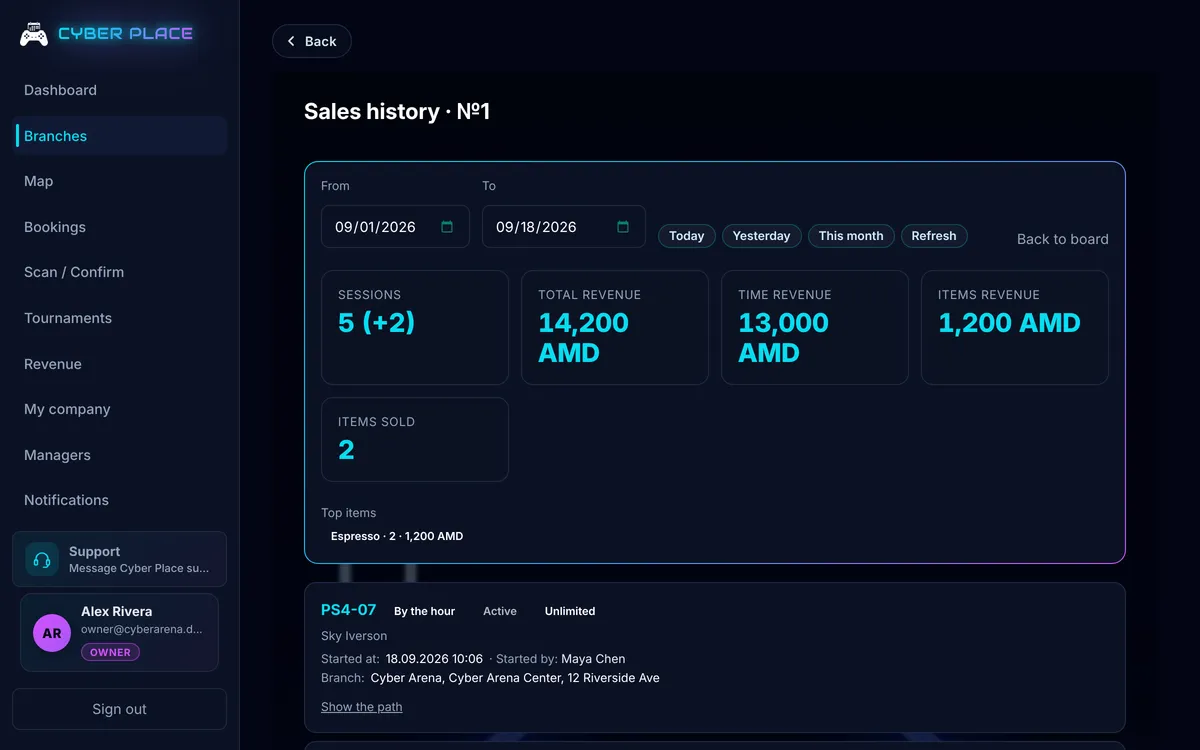
A tournament your shift can run
The tournament is created in the panel, registrations collect there, and players are checked in by code at the door.
Registrations
Players sign up in the app or at the desk. The list of who is coming lives in the panel.
Entry fees
The fee is set when you create the tournament. Remove a registration and the entry is refunded.
Check-in by QR
The panel's camera reads the player's code, so the queue at the door keeps moving.
Total integration. Zero compromise.
Running a gaming club used to mean three different products glued together with spreadsheets. Cyber Place replaces them all with a single integrated stack that scales from one branch to a chain of clubs.
Learn more
One system covers the whole floor: PCs, PlayStation and any platform you add yourself — VR, table tennis, poker. Plus bookings, bar and shop sales, tournaments and one price list per branch. Pricing and billing are centralised, so what a member of staff rings up at the desk is exactly what the revenue report shows.
Owners run several branches and see the whole network from one place; managers get the tools for the venue they work in. The panel and the player app speak Armenian, Russian and English. Cyber Place is built in Armenia: the desktop and the Agent are in open beta, the player app is in active development.
Your floor under control
Every PC, console and table on one board, with the active places visible at once.
Every hour reaches a bill
Time, joysticks and products are counted by the server, so the total at the desk is the total in the report.
Players arrive already booked
They reserve the seat in the app and pay at your desk. Staff confirm the code and activate the seat.
Two roles, one system
The line is not manager versus owner. The line is who sets the prices and who works inside them. The owner builds the branch and its rate card, the manager runs the evening on it.
Owner
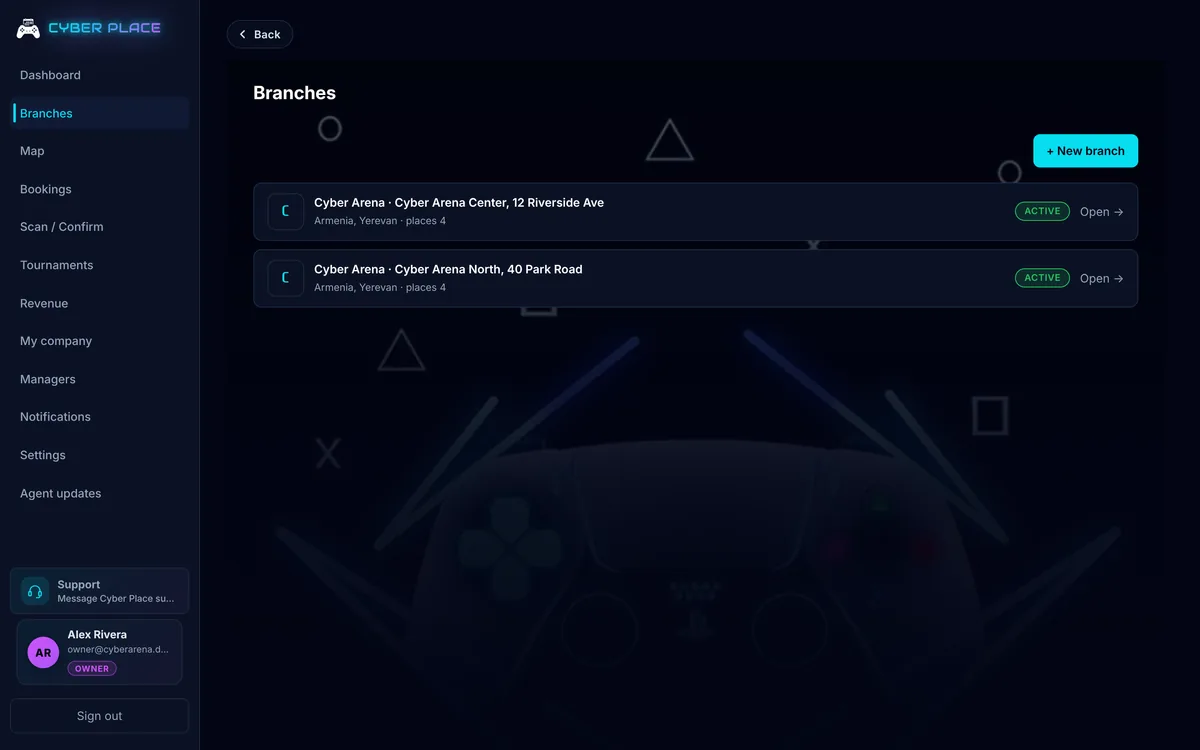
Company levelRuns the company. Creates branches, sets prices, decides what a seat costs and who works there. Sees every branch of their own company and none of anyone else's.
- Creates and edits branches
- Sets prices, packages, joystick rules
- Manages the seats on the floor
- Turns a branch active or inactive
- Creates and removes manager accounts
- Sees the revenue screen
- Switches between their own branches in one panel
Can run the floor too, but that is not the job: an owner looks at the numbers.
Manager
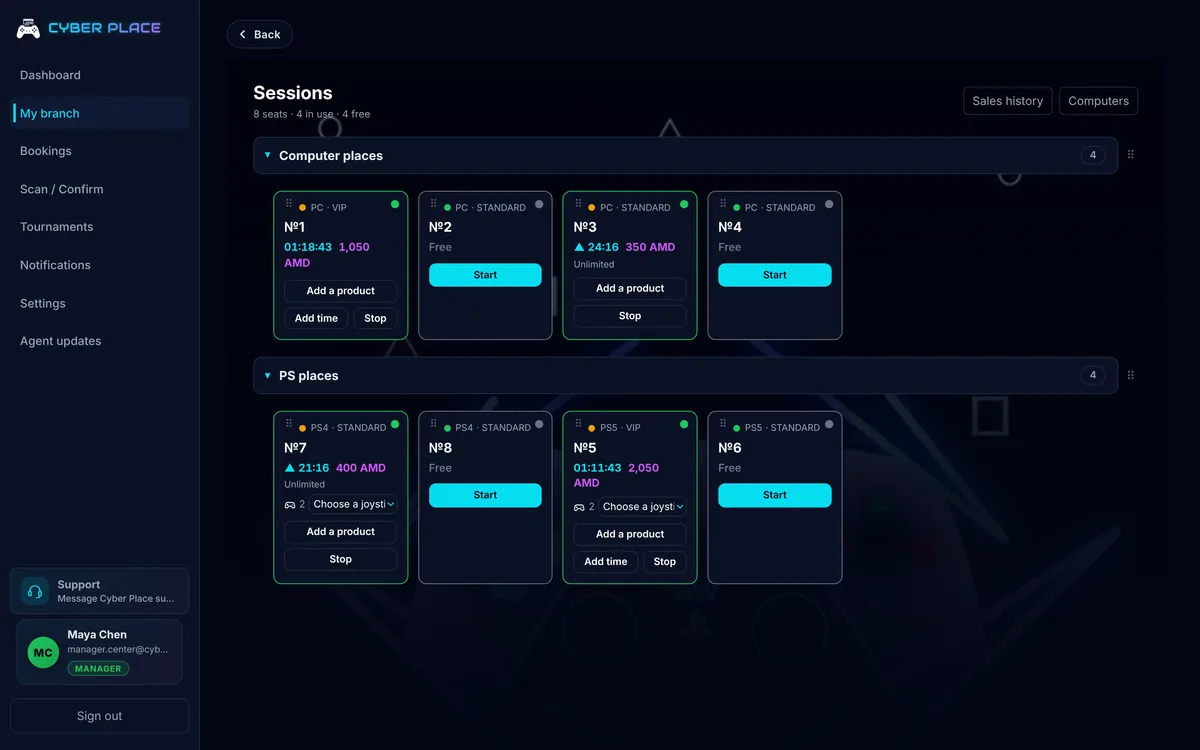
One branchWorks one branch. Runs active places, bookings, the bar and tournaments on prices that are already set. Cannot edit the branch and cannot see revenue.
- Activates and closes seats
- Adds joysticks and extra time
- Rings up products onto the bill
- Confirms bookings by code
- Runs tournaments and registrations
- Gets the shift bell: a new booking, a cancellation, an extension
- Sets the emergency unlock PIN for the PCs
Does not change the branch, the rates, the seats or the product list: it works inside the rules it is given.
Access is checked on the server, not hidden in the interface. Each role receives only its own data.
Launch Your Gaming Club in 4 Simple Steps
From your first contact to a fully operational system, quickly, with no downtime and no interruption to your club's operations.
-
01
Contact Us
Tell us the name of your gaming club. If you operate multiple locations, simply provide all of your branches.
We'll tailor Cyber Place to match your existing workflow, ensuring a smooth and hassle-free transition.
-
02
We Set Everything Up
Our specialists prepare the entire system for you:
- install the Desktop Management Panel;
- deploy the PC Lock Agent on every gaming computer;
- configure branches, gaming stations, pricing plans, staff shifts, tournaments, additional services, and all other required settings.
Once the setup is complete, your system is ready to use.
-
03
We Train Your Team
We provide short onboarding training for club owners and managers.
Each user receives a role with the appropriate access permissions.
- Managers handle the club's daily operations.
- Owners have complete control over all branches through a single management dashboard.
-
04
Go Live
After launch, your players enjoy a modern digital experience. They can:
- reserve gaming stations directly from their smartphones;
- join tournaments;
- see their bookings and what state each one is in;
- view available gaming stations and schedules.
If plans change, the booking is cancelled in the app and the seat goes back to the floor.
Once the booking is confirmed, the app gives the player directions from where they are to the branch they picked.
At the club the player shows the code or the QR from the app, staff confirm the booking in the panel and activate the seat.
Anything the player takes from the bar during play is put on that seat's bill by staff.
When play ends, the administrator simply closes the active place with a single click in the management panel.
Cyber Place enables you to manage a single gaming club or an entire network of branches from one centralized dashboard, quickly, efficiently, and in real time.
Book your seat from your phone.
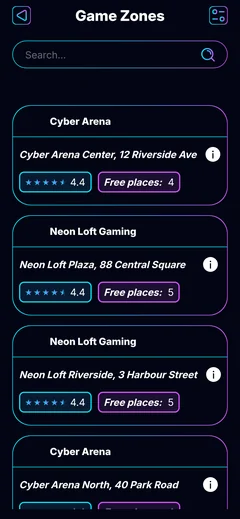
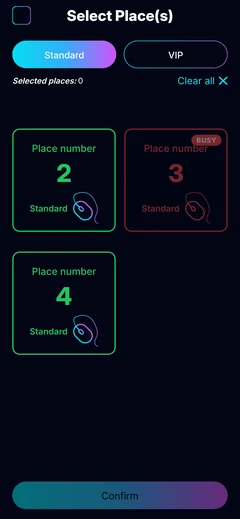
The player app is being built for iOS and Android and is not in the stores yet. A player finds your club, sees how many seats are free, picks the seat and the time, and reserves it. There is no payment in the app. The booking holds the seat, and the player pays you at the club.
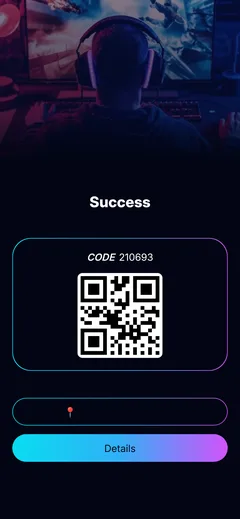
- No signup, a name is enough
- Clubs nearby and free seats
- Platform, time and a specific seat
- A booking code and directions to your door
What is already running, and where
There are no thousands of customers on this page, because there are not thousands yet. There is what can be checked: what the platform does, and where it runs every evening.
- 3
- applications: panel, Agent, player app
- 3
- languages: in the panel and the player app
- 4
- ways to sell a seat: hourly, package, unlimited, free
- 18
- clubs and networks across the CIS and the region

Time to Play, Yerevan
The panel and the Agent are being proven here — in a real venue, on a real shift and on real bills, not on demo data. That is where it shows what a Friday night actually needs.
In development and testing. Soon. Officially, for everyone.
The Desktop Management Panel and PC Lock Agent are in open beta, tested at Time to Play gaming club. The mobile app is in active development. Very soon everything goes officially live and available to everyone.
Desktop Management Panel & PC Lock Agent
The Desktop Management Panel for gaming clubs and the PC Lock Agent are now available in Open Beta.
The solution is already being successfully tested and actively used at Time to Play gaming club, demonstrating its stability, reliability, and performance.
The official Version 1.0 release is coming very soon.
Mobile app
The player app for iOS and Android is in active development. Booking from the phone lands soon.
Clubs and networks we work with
Gaming clubs and networks across the CIS and the region — from Moscow and Minsk to Almaty, Tashkent and Yerevan.
-
Time to Play
Yerevan, Armenia
-
 CyberX Community
Moscow, Russia
CyberX Community
Moscow, Russia
-
 Warpoint
Moscow, Russia
Warpoint
Moscow, Russia
-
 F5
Moscow, Russia
F5
Moscow, Russia
-
 T-Arena
Moscow, Russia
T-Arena
Moscow, Russia
-
 COLIZEUM
Almaty, Kazakhstan
COLIZEUM
Almaty, Kazakhstan
-
CyberX Community
Almaty, Kazakhstan
-
CyberX Community
Minsk, Belarus
-
COLIZEUM
Minsk, Belarus
-
COLIZEUM
Tashkent, Uzbekistan
-
COLIZEUM
Dushanbe, Tajikistan
-
COLIZEUM
Tbilisi, Georgia
-
COLIZEUM
Moscow, Russia
-
 True Gamers
Moscow, Russia
True Gamers
Moscow, Russia
-
 Strike Arena
Moscow, Russia
Strike Arena
Moscow, Russia
-
 EZ KATKA
Moscow, Russia
EZ KATKA
Moscow, Russia
-
T-Arena
Tomsk, Russia
-
T-Arena
Ust-Kamenogorsk, Kazakhstan
-
COLIZEUM
Astana, Kazakhstan
-
True Gamers
Minsk, Belarus
-
CyberX Community
Tashkent, Uzbekistan
-
T-Arena
Tashkent, Uzbekistan
-
CyberX Community
Tbilisi, Georgia
-
COLIZEUM
Bishkek, Kyrgyzstan
Built for gaming clubs, run by their teams
How owners and managers actually work in Cyber Place during a shift.
-
★★★★★
Managing the club became much easier. Everything we need for daily operations is now in one place.
Gaming club manager · Time to Play
Yerevan, Armenia
-
★★★★★
Cyber Place makes it much easier to control active places and keep track of what is happening in the club.
Gaming club owner · CyberX Community
Moscow, Russia
-
★★★★☆
We especially like how simple it is to manage gaming and active places from one interface.
Gaming club owner · Warpoint
Moscow, Russia
-
★★★★★
Before Cyber Place, managing different parts of the club required several tools. Now the workflow is much more convenient.
Gaming club manager · F5
Moscow, Russia
-
★★★★★
The system is convenient for everyday club management and makes it much easier for our team to keep everything organized.
Club administrator · T-Arena
Moscow, Russia
Talk to us.
Run a gaming club and want to onboard? Need a custom integration? Just curious? Drop us a note. We'll reply within 24 hours.
- Emailsupport@cyberplace.pro
- TelegramCyber Place
- WhatsAppCyber Place
- HoursMon–Sun · 10:00–22:00 UTC+4